Table of Contents
- I. Core Causes of Telegram Login Abnormalities (2026 Latest Analysis)
- 1. Unstable Network Environment or Abnormal IP (Most Common)
- 2. Operational Behaviors Triggering Security Mechanisms
- 3. Client or Device Issues
- 4. Conflicts with Phone Number or Verification Mechanisms
- 5. Violation Behaviors or Misjudgment Restrictions
- II. Scenario-Specific Solutions: Regain Login in 3 Minutes (User-Tested Effective)
- Scenario 1: Failure to Receive Verification Code (Core Login Obstacle)
- Scenario 2: Prompts like "Too Many Attempts" or "Account is Limited"
- Scenario 3: Abnormal IP or "Paid Prompt" Pop-up
- Scenario 4: Login Abnormalities After Device Replacement
- III. Ultimate Solution: Telegram Account Abnormality Appeal Process (2026 Official Channels)
- 1. Prepare Appeal Materials
- 2. Select Appeal Channels (Ranked by Priority)
- Channel 1: Contact Customer Service Within the App (Recommended)
- Channel 2: Official Website Form Appeal (For Login Failures)
- Channel 3: Official Email Appeal (Backup)
- 3. Tips to Improve Appeal Success Rate
- IV. 2026 Prevention Guide: 5 Key Operations to Avoid Account Abnormalities
- 1. Fix Network Environment
- 2. Strengthen Account Security Settings
- 3. Standardize Usage Behaviors
- 4. Keep the Client Official and Updated
- 5. Follow Official Updates
- Conclusion
As an encrypted messaging tool with over 1 billion global users, Telegram (commonly known as "Telegraph/Paper Plane") has become a core platform for cross-border communication and community management, thanks to its privacy protection and cross-platform features. However, many users encounter "account abnormal" prompts during login, such as "Too many attempts", "Account is limited", or failure to receive verification codes, which directly affects normal usage. Combining the latest 2026 official rules and user-tested experiences, this article details the core causes of account abnormalities, scenario-specific solutions, and appeal skills to help you quickly regain account access.
I. Core Causes of Telegram Login Abnormalities (2026 Latest Analysis)
Account abnormalities are not randomly triggered but an automatic protection mechanism of Telegram's security system against "high-risk behaviors". Based on official risk control rules and user feedback, the main causes include the following 5 categories:
1. Unstable Network Environment or Abnormal IP (Most Common)
Telegram has extremely high requirements for IP consistency. Frequently switching regional IPs (e.g., jumping from Mainland China to Europe or North America), using shared VPNs, or "contaminated IP segments" marked as suspicious will directly result in an "abnormal login" judgment. In 2026, the platform has further tightened IP audits—IPs from free proxies and SMS verification code receiving platforms almost 100% trigger restrictions. Some users even encounter fake "paid unlocking" prompts due to node congestion (this is not an official charge but an IP misjudgment).
2. Operational Behaviors Triggering Security Mechanisms
Entering incorrect verification codes multiple times in a short period, frequently logging out and re-trying, simultaneous login on multiple devices, or using scripts/batch tools to manage accounts will all be identified as "suspicious behaviors" by the system. Especially for newly registered accounts, high-frequency group joining or link sending is likely to trigger "two-way restrictions" (inability to send messages to non-contacts).
3. Client or Device Issues
"Cracked versions" or "localized modified versions" of Telegram downloaded from non-official channels may lack verification functions or be implanted with malicious code, leading to failure to receive verification codes or abnormal login prompts. In addition, failure to clear device cache or using outdated app versions may also conflict with server protocols, causing login failures.
4. Conflicts with Phone Number or Verification Mechanisms
Using a +86 phone number for registration but logging in from an IP with a significantly different location, or not activating international roaming for the phone number, will result in failed verification code delivery. If two-step verification (2FA) is enabled for the account, failing to synchronize settings after replacing the device or phone number may cause "verification process confusion" and prevent successful login.
5. Violation Behaviors or Misjudgment Restrictions
Mass advertising or spreading violating content will lead to permanent restrictions, but most cases are "misjudgments"—for example, normal users may face short-term restrictions due to network fluctuations, characterized by limited functions (inability to send images or join groups) rather than complete account termination.
II. Scenario-Specific Solutions: Regain Login in 3 Minutes (User-Tested Effective)
For different abnormal prompts, targeted solutions are required to avoid prolonging restriction time through blind operations.
Scenario 1: Failure to Receive Verification Code (Core Login Obstacle)
This is the most common abnormal situation, and 90% of cases can be resolved through the following 3 steps:
- Troubleshoot the Client: Uninstall non-official versions and download the official Telegram app from the official website , Google Play Store (Android), or App Store (iOS) to avoid missing functions in the installation package;
- Optimize Network Environment: Turn off free VPNs, switch to stable dedicated nodes (Japan, Singapore, and small European countries are recommended to reduce misjudgment probability), restart the router or switch to mobile data, then retry;
- Resolve "Internal Loop" Issues: If the account is not logged out from the old device, the new device may fail to receive the verification code (the system judges the account is still online). Manually log out from the old device, or clear Telegram cache on the new device before re-applying for verification.
- Emergency Plan: If international roaming is not activated for the phone number, try receiving the verification code via voice call or use a regular third-party SMS verification platform (note to protect privacy and avoid information leakage).
Scenario 2: Prompts like "Too Many Attempts" or "Account is Limited"
Such abnormalities are mostly short-term restrictions (24-72 hours), and the core solution is "stop operations + wait + verify environment":
- Immediately stop login attempts and wait 24 hours before retrying (frequent retries will extend the restriction period);
- Maintain stable network during the waiting period and avoid switching IPs or devices to prevent the system from judging "continuous abnormalities";
- After regaining login access, immediately bind a recovery email and enable two-step verification (2FA) to enhance account security.
Scenario 3: Abnormal IP or "Paid Prompt" Pop-up
The newly added "paid prompts" in 2026 are mostly IP misjudgments, not official charging requirements:
- Replace with a high-quality dedicated IP and avoid using shared proxies or frequently switching nodes;
- If a paid window pops up on the client, directly uninstall and reinstall the official app to clear residual cache;
- After confirming no violation behaviors on the account, submit an explanation through the appeal process below to request the removal of IP-related restrictions.
Scenario 4: Login Abnormalities After Device Replacement
Logging in on a new phone/computer is prone to triggering security restrictions due to "unfamiliar devices":
- Manually log out from the original device, or remotely log out of all devices through official channels (requires a bound email);
- When logging in on the new device, select "Trust this device" and ensure the IP is consistent with the frequently used region;
- If prompted "Device Unauthorized", receive a verification link via the bound email and complete identity confirmation to log in.
III. Ultimate Solution: Telegram Account Abnormality Appeal Process (2026 Official Channels)
If the above methods are ineffective or the restriction lasts more than 7 days, an appeal through official channels is required. The following process has a success rate of over 80%:
1. Prepare Appeal Materials
- Registered phone number (including international area code, e.g., +86138XXXXXXX);
- Model of frequently used login device and IP location information;
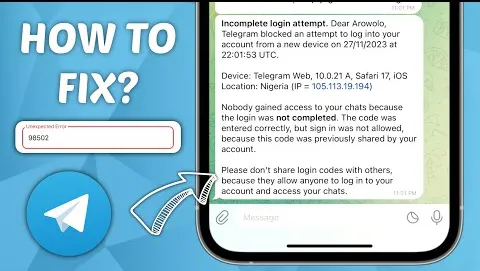
- Screenshot of the abnormal prompt (clearly showing the error code);
- Description of account usage scenario (e.g., "Personal cross-border communication, no scripts or violation behaviors").
2. Select Appeal Channels (Ranked by Priority)
Channel 1: Contact Customer Service Within the App (Recommended)
Open Telegram → Left-side menu → 【Settings】→【Help】→【Contact Support】, and briefly describe the issue in English. Example template:
"Dear Telegram Support, My account +86138XXXXXXX shows 'Account is limited' when logging in. I only use it for personal communication, no spam or automation. The issue may be caused by network changes. Please review and restore my account access. Thank you."
Channel 2: Official Website Form Appeal (For Login Failures)
Visit the official Telegram support page and fill out the form:
- Phone number (mandatory, including area code);
- Problem description (clearly state core issues such as "login abnormality" or "failure to receive verification code");
- Contact email (Gmail or other overseas emails are recommended to avoid interception by domestic emails);
- Check the email (including spam folder) within 1-3 working days after submission.
Channel 3: Official Email Appeal (Backup)
Send an email to [email protected] (general issues) or [email protected] (account recovery). The subject should state "Account Abnormal - [Phone Number]", and the body should include material descriptions. English is also recommended for faster processing.
3. Tips to Improve Appeal Success Rate
- Submit the appeal from a frequently used device and IP— the system will recognize a "trusted environment" and prioritize processing;
- Avoid submitting the same appeal repeatedly, as this will reduce priority;
- If the account is restricted due to misjudgment, emphasize the "normal usage scenario" and avoid mentioning sensitive terms like "multiple IP switches" or "batch operations".
IV. 2026 Prevention Guide: 5 Key Operations to Avoid Account Abnormalities
Preventing problems is better than solving them. The following settings can significantly reduce the probability of abnormalities:
1. Fix Network Environment
Use a stable dedicated IP or compliant proxy and avoid frequent regional switches; cross-border users can choose a "static IP" to ensure login environment consistency.
2. Strengthen Account Security Settings
- Enable Two-Step Verification (2FA): Settings → Privacy and Security → Two-Step Verification, add security questions and a recovery email;
- Bind a Frequently Used Phone Number: Avoid frequent changes—+86 users may consider binding an overseas phone number to improve stability;
- Control the Number of Login Devices: Keep a maximum of 2-3 frequently used devices and regularly log out of unused devices remotely.
3. Standardize Usage Behaviors
Avoid high-frequency group joining or link sending for newly registered accounts; do not use scripts or third-party tools for batch operations; wait 1 hour after entering the wrong verification code twice before retrying.
4. Keep the Client Official and Updated
Only download the app from official channels and update it regularly; avoid using "cracked versions" or "localized modified versions" to prevent function conflicts or security risks.
5. Follow Official Updates
Join official Telegram channels @Telegram or @TelegramTips to stay updated on risk control rule changes; check the official FAQ first when encountering abnormalities to avoid worsening restrictions due to incorrect operations.
Conclusion
Telegram login abnormalities are essentially "warning signals" from the security mechanism, not permanent account termination. Most cases can be resolved by optimizing the network, standardizing operations, or submitting an appeal. The core principles are: avoid high-risk behaviors, use official channels, and maintain a stable environment. If access is still not restored after following the above methods, targeted advice can be obtained from user communities such as Reddit (r/Telegram), or further assistance can be requested through the official volunteer support program (@TelegramAuditions). With platform risk control continuing to tighten in 2026, users are advised to prioritize strengthening account security settings to avoid abnormalities at the source.