Table of Contents
- I. Core Preparations Before Adding International Friends (Reduce Risk Control + Improve Success Rate)
- 1. Account Basic Settings Optimization
- 2. Network and Regional Environment Adaptation
- 3. Privacy Settings Adjustment in Advance
- II. 5 Efficient Methods to Add International Friends (Covering Different Scenarios)
- (1) Method 1: Direct Search via Username (Most Common)
- (2) Method 2: Add via Phone Number (High Accuracy)
- (3) Method 3: Mine via Groups/Channels (Bulk Expansion)
- (4) Method 4: Sync via Address Book (Automatic Matching)
- (5) Method 5: Share via Invitation Link (Quick Referral)
- III. Troubleshooting Common Issues When Adding International Friends (Solving 90% of Problems)
- 1. What to Do If the Target Friend Cannot Be Found?
- 2. Unable to Send Messages After Adding a Friend?
- 3. "No Such Account" Displayed After Adding an International Number?
- IV. Safety and Compliance Suggestions for Adding International Friends
- 1. Privacy Protection Skills
- 2. Compliance Reminders
- V. 2025 Latest Features: Improve International Friend Addition Efficiency
- 1. Username Fuzzy Search (New Feature)
- 2. Cross-Border Friend Recommendations
- 3. Multilingual Note Function
- Summary
In today's era of frequent global communication, Telegram (also known as Telegram Messenger/Paper Plane) has become the preferred tool for foreign trade connections, cross-border collaboration, and international socializing, thanks to its core advantages such as end-to-end encryption, no communication restrictions, and multi-device synchronization. Many users encounter problems like "not knowing how to add international friends", "unable to find overseas contacts", or "restricted interaction after adding" after completing account registration. Combining the latest feature updates of Telegram in 2025, this article will detail 5 efficient methods to add international friends, and simultaneously answer key questions such as privacy and security settings and avoiding regional restrictions, helping you quickly build a cross-border social network.
I. Core Preparations Before Adding International Friends (Reduce Risk Control + Improve Success Rate)
Telegram has strict risk control over account environments and operational behaviors. Completing the following preparations in advance can avoid issues like "no search results" or "operational restrictions" when adding friends:
1. Account Basic Settings Optimization
- Improve personal profile: Set a clear username (preferably including industry or regional keywords, such as "Fashion_USA_Mike"), upload a real avatar, and write a brief bio (e.g., "Foreign Trade Clothing Supplier | Serving European and American Markets") to reduce the probability of being judged as a spam account.
- Confirm account status: Ensure the account has completed security verification (two-step verification + email binding). Newly registered accounts are advised to "nurture" for 3-7 days (send normal messages, join 1-2 legitimate groups) before adding friends in batches.
2. Network and Regional Environment Adaptation
When adding international friends, ensure the IP region is consistent with or similar to the target friend's location (e.g., use a U.S. residential proxy IP when adding U.S. friends) to avoid triggering risk control due to frequent cross-regional IP switching. It is recommended to use a stable VPN that supports the Socks5 protocol, ensuring network latency is below 100ms to prevent search function loading failures.
3. Privacy Settings Adjustment in Advance
By default, Telegram allows strangers to find you via phone number or username. If you need to add friends directionally, you can set it in advance:
- Mobile terminal: Settings → Privacy and Security → Who can find me → Select "My Contacts" or "Custom" to avoid harassment from irrelevant personnel;
- Hide online status: Settings → Privacy and Security → Last Seen & Online Status → Select "My Contacts" to protect personal privacy while enhancing trust when adding friends.
II. 5 Efficient Methods to Add International Friends (Covering Different Scenarios)
(1) Method 1: Direct Search via Username (Most Common)
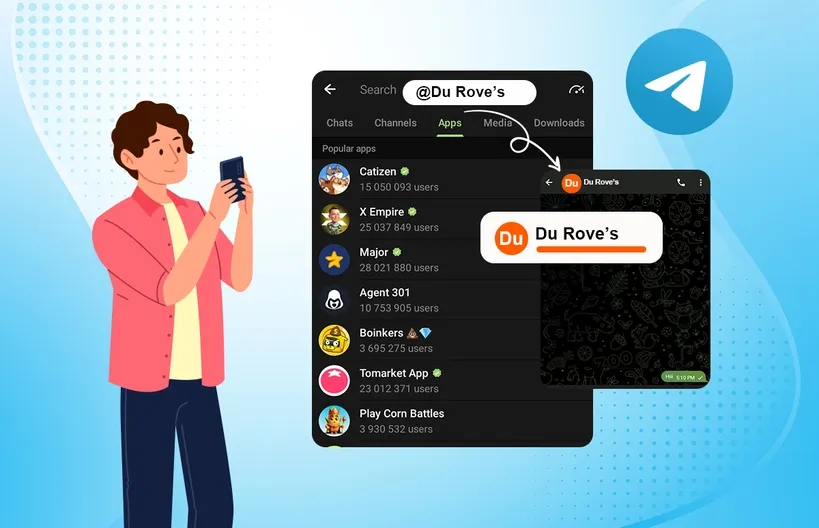
Telegram's username is the core identifier for adding friends across regions. You don't need to know the other party's phone number—just enter the correct username to add. Steps are as follows:
- Open the Telegram app (available on mobile/desktop), click the top search bar (pull down the page to display on mobile);
- Enter the friend's full username (format: "@username", e.g., "@Global_Trade_John"), noting case sensitivity (some usernames are case-sensitive);
- Find the target friend in the search results, click the avatar to enter the personal profile, and click "Add to Contacts". No mutual verification is required—you can send messages directly after successful addition.
- SEO Long-tail Keywords: Tutorial to add international friends on Telegram via username, method to search Telegram contacts cross-border, how to find usernames of overseas users on Telegram
(2) Method 2: Add via Phone Number (High Accuracy)
If you know the other party's international phone number, you can add them directly—suitable for precise scenarios such as foreign trade connections and business cooperation:
- Click the "+" sign in the upper right corner of the Telegram homepage (mobile) or "Add Contact" in the upper left corner (desktop);
- Select "New Contact", enter the other party's international phone number (format: "+country code+phone number", e.g., U.S. number "+1213xxxxxxx", no spaces or symbols);
- Fill in the friend's name (optional), click "Save", and the system will automatically match the other party's Telegram account. You can send messages once the match is successful.
- Notes:
- Ensure the other party's phone number is registered on Telegram and the "Findable by phone number" function is not disabled;
- When adding overseas numbers with a domestic +86 phone number, confirm the other party's operator supports international SMS reception (some national operators block international numbers by default);
- Avoid adding via virtual numbers, as it is easily judged as spam by the system.
- SEO Long-tail Keywords: Add overseas phone contacts on Telegram, how to add friends on Telegram with internationally registered phone numbers, cross-border business Telegram friend addition skills
(3) Method 3: Mine via Groups/Channels (Bulk Expansion)
Telegram has a large number of international groups and channels (covering foreign trade, cross-border e-commerce, language exchange, etc.). By joining groups in target regions, you can add potential friends in batches. Steps are as follows:
- Obtain international group links: Search on Google (keywords such as "USA Trade Telegram Group 2025"), Facebook, LinkedIn, or foreign trade forums (e.g., Alibaba Forum) to get invitation links for groups in target regions;
- Join the group: Click the invitation link and confirm "Join Group". Some groups require administrator approval—please wait patiently for acceptance;
- Add friends in the group: After entering the group, click the member list, select target friends (judge relevance via group nickname and bio), click the avatar → "Add to Contacts". It is recommended to send a note when adding (e.g., "From XX Foreign Trade Group, looking to consult product cooperation") to improve communication efficiency.
- SEO Long-tail Keywords: Skills to add friends via Telegram international groups, methods to expand Telegram group members for cross-border e-commerce, how to find overseas customers via Telegram channels
(4) Method 4: Sync via Address Book (Automatic Matching)
Telegram supports syncing international numbers in your phone's address book. If you have stored overseas customers' or friends' phone numbers in your address book, you can automatically match and add them:
- Mobile settings path: Settings → Privacy and Security → Sync Contacts, enable the sync function;
- The system will automatically scan for numbers in the address book that are registered on Telegram and generate a list of "Telegram Users in Your Contacts";
- Select target friends from the list and click "Add to Contacts"—no manual number entry required, making it efficient and convenient.
- Privacy Tip: After syncing the address book, your number may also be discovered by other users in the address book. If you need to use it anonymously, you can disable the sync function (Settings → Privacy and Security → Turn off "Sync Contacts").
- SEO Long-tail Keywords: Sync international address book friends on Telegram, automatic matching of overseas phone contacts on Telegram, cross-border social address book sync skills
(5) Method 5: Share via Invitation Link (Quick Referral)
If you want overseas friends to add you proactively, you can generate a personal invitation link and share it on social platforms or via email. Steps are as follows:
- Mobile terminal: Settings → Profile → Click "Invite Friends" → Select "Generate Link";
- Copy the invitation link and share it on Facebook, WhatsApp, email, etc. Friends can add you directly as a contact by clicking the link;
- You can set the link validity period (permanently valid by default) and adjust it in "Invitation Link Settings" to avoid adding irrelevant personnel.
- SEO Long-tail Keywords: Method to generate international friend invitation links on Telegram, how overseas users add Telegram contacts via links, cross-border social invitation link sharing skills
III. Troubleshooting Common Issues When Adding International Friends (Solving 90% of Problems)
1. What to Do If the Target Friend Cannot Be Found?
- Check username/phone number format: Ensure the username includes the "@" symbol, the phone number does not miss the country code, and there are no extra spaces;
- Optimize network environment: Replace with an IP in the same region as the target friend, disconnect and reconnect the VPN to avoid the IP being marked as abnormal;
- Confirm the other party's settings: The other party may have disabled the "Findable by username/phone number" function (Settings → Privacy and Security → Who can find me). Ask the other party to adjust the settings before trying again.
2. Unable to Send Messages After Adding a Friend?
- Account restricted: Frequent friend additions with new accounts are likely to trigger risk control. It is recommended to add no more than 10 people per day, with an interval of 1-2 hours between additions;
- Blocked by the other party: If "Unable to send" is displayed when sending messages, you may have been blocked by the other party. You need to change the account or contact the other party to lift the restriction;
- Group restrictions: Some groups set "Only allow group chats, prohibit private friend additions". Contact the administrator to lift the restriction.
3. "No Such Account" Displayed After Adding an International Number?
- Number not registered on Telegram: Confirm the other party has completed registration with the number. International number registration requires receiving a verification code from the corresponding region;
- Incorrect number format: For example, U.S. numbers need to start with "+1" instead of "001", and some national numbers require omitting the leading "0" (e.g., UK number "+447xxxxxxx" instead of "+4407xxxxxxx");
- Virtual/temporary number: If the other party registered with a virtual number, the system may hide the account, making it impossible to search via the number.
IV. Safety and Compliance Suggestions for Adding International Friends
1. Privacy Protection Skills
- Avoid publicizing phone number: Disable the "Findable by phone number" function when adding unfamiliar friends, and only allow searches via username;
- Do not disclose sensitive information: Do not reveal personal address, bank card number, or other sensitive information in the first communication. Be alert to fraudulent accounts posing as "overseas customers";
- Regularly clean friend list: Delete inactive accounts or suspected fraudulent accounts to reduce the risk of account theft.
2. Compliance Reminders
- Do not send bulk advertisements: Frequent sending of advertisements to unfamiliar international friends is likely to lead to account ban due to reports;
- Abide by regional rules: Some countries have special regulations on Telegram use (e.g., EU GDPR). Avoid sending non-compliant content;
- Reject illegal groups: Do not join illegal groups involving cross-border fraud, voyeurism, etc. Such groups are easily banned by the system, and associated accounts may be affected.
V. 2025 Latest Features: Improve International Friend Addition Efficiency
1. Username Fuzzy Search (New Feature)
After the 2025 update, Telegram supports username fuzzy search. Entering partial keywords can match relevant users (e.g., entering "Fashion UK" can search for usernames containing these keywords), reducing the difficulty of precise input.
2. Cross-Border Friend Recommendations
Based on your IP region and group tags, the system will recommend international users in the same industry or region. You can view them on the "Discover" page and click to add—suitable for expanding potential business partners.
3. Multilingual Note Function
When adding international friends, you can set multilingual notes (e.g., English + Chinese) for easy subsequent management, especially suitable for foreign trade users cooperating with customers from multiple countries.
Summary
The core of adding international friends on Telegram is "compliant environment + suitable methods". Optimize your account and network environment in advance, select methods such as username search, phone number addition, or group mining according to your scenario, and ensure privacy protection—then you can efficiently build a cross-border communication network. Whether for foreign trade connections, cross-border collaboration, or international socializing, mastering these skills allows you to quickly find target friends and fully leverage Telegram's global communication advantages. With continuous feature updates, it is recommended to keep the app updated to unlock more convenient addition methods, making cross-border communication more efficient and secure.